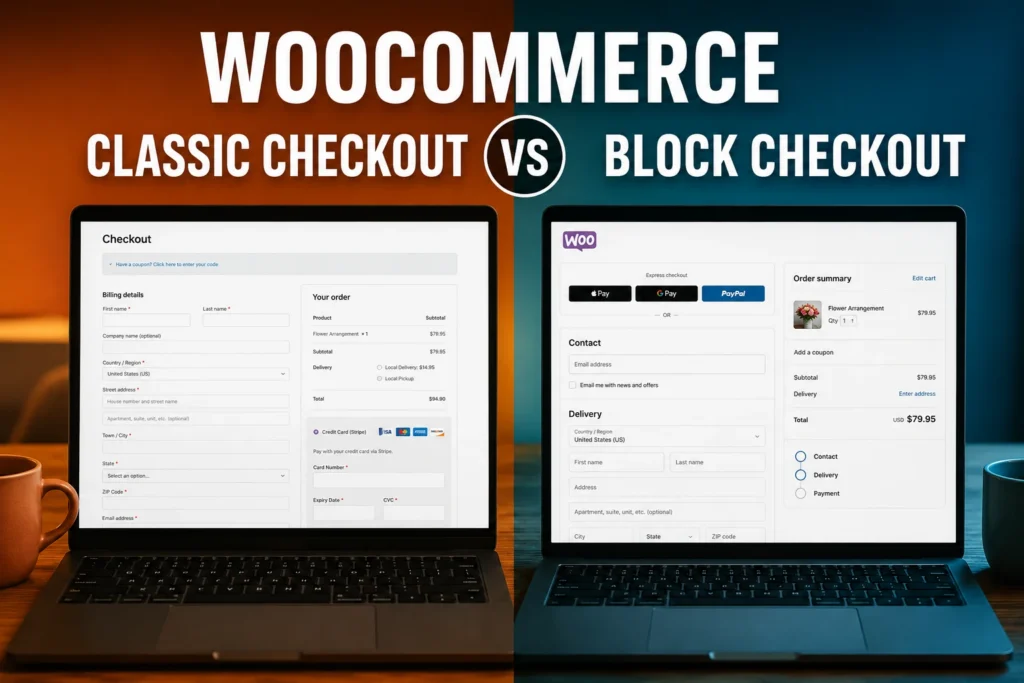
I Spent a Year with WooCommerce Cart and Checkout Blocks. Here’s What I Learned.
I don’t have a philosophical objection to WooCommerce Blocks.
When WooCommerce made Cart and Checkout Blocks the default experience for new stores and continued encouraging developers to support them, moving an established ecommerce site to Blocks seemed like the responsible direction.
So I converted one of the more complicated WooCommerce stores I manage to Blocks.
We got everything working. We ran it that way for about a year. We spent a lot of time adapting custom functionality, dealing with extension problems and eventually chasing intermittent checkout failures.
Then I moved the store back to Classic Cart and Checkout.
Since moving back, we haven’t had a checkout issue.
That experience didn’t convince me that nobody should use WooCommerce Cart and Checkout Blocks. It did change how I decide whether I should use them.
This wasn’t a simple WooCommerce store
The store sells fresh-cut flowers online. It is one of three WooCommerce flower stores I work on, and its business rules go well beyond adding a product to a cart, selecting a shipping method and entering a credit card.
Products can have different fulfillment requirements. Some combinations of products can’t be purchased together. Local pickup has its own rules. Delivery dates matter. Shipping availability depends on where an order is going. Certain products include shipping while others don’t. Saturday delivery can affect the order differently.
Those requirements weren’t created for Blocks.
They already existed in the previous version of the store.
When I rebuilt the site from the Total WordPress theme using Beaver Builder, Beaver Themer and Beaver Builder Theme, I carried the existing business rules into the new site.
The store worked.
Then I decided to change the Cart and Checkout experience.
I moved to Blocks because that was where WooCommerce was going
WooCommerce had already made Cart and Checkout Blocks the default for new installations beginning with version 8.3 in November 2023. Existing stores weren’t automatically converted, but WooCommerce was clearly investing in the new experience.
By the WooCommerce 10.0 release cycle in July 2025, I decided it was time for this store to follow that direction.
This wasn’t a conversion driven by a problem with Classic Checkout.
It was a technical decision. WooCommerce was investing in Blocks, and it seemed sensible to build around the architecture WooCommerce wanted developers and store owners to use going forward.
I expected some conversion work.
I underestimated how much.
We weren’t just changing the checkout
Once we started the conversion, we discovered that many of the techniques we’d been using to implement the store’s business rules didn’t simply carry over.
With Classic WooCommerce, a great deal can be accomplished through PHP hooks, filters and server-rendered functionality.
Blocks use a different extensibility model. Some Classic actions and filters work with Cart and Checkout Blocks, but not all of them, and extending the front end of the Blocks frequently requires JavaScript.
We learned that difference by doing the conversion.
Functionality that had previously been relatively straightforward to implement on the server now had to interact with a dynamic Block interface. We found ourselves rewriting functionality in vanilla JavaScript, watching for changes in the cart, responding to elements being re-rendered and making sure our custom behavior survived those changes.
Over time, our Block implementation accumulated DOM queries, event listeners, MutationObservers, AJAX requests, Store API interactions and routines specifically intended to keep our custom functionality synchronized with the cart.
This wasn’t theoretical architectural complexity. It was code we actually had to write and maintain.
But we eventually got everything working.
That’s an important part of this story.
I didn’t abandon Blocks because I couldn’t make them work.
We made them work and ran the store that way.
Then a critical plugin developed a serious problem
All three flower stores depend heavily on Order Delivery Date Pro.
For a flower business, the delivery date isn’t a minor checkout field. It’s fundamental to fulfilling an order correctly.
After the Block implementation was running, we encountered a serious problem involving the delivery-date plugin.
Initially, the plugin developer couldn’t reproduce it. It took several days before they were able to recreate what we were seeing and provide a hotfix.
The immediate problem was solved, but the fix didn’t make it into the publicly released plugin for another two updates.
That left us in an uncomfortable position.
We had a working hotfix, but we couldn’t keep a mission-critical plugin current. We had to remain on the version that worked until the permanent correction finally appeared in the production plugin.
Eventually it did. We updated, and that particular problem was behind us.
I mention this because it would be easy, but inaccurate, to simply call this a Blocks problem.
It wasn’t.
We identified a problem involving a third-party plugin, the developer reproduced it, and they fixed it.
What happened afterward was much harder to pin down.
The intermittent problems were worse than the obvious ones
We began seeing seemingly random checkout problems.
Sometimes a delivery date wasn’t properly selected. Sometimes the expected shipping zone or shipping options weren’t available. Sometimes checkout would get into a state it shouldn’t have been in.
The frustrating part was that we couldn’t reliably reproduce the failures.
Most customers could order normally.
We could test the same basic purchase flow and everything would work. Then a customer would encounter a problem.
That’s a very different troubleshooting problem from a feature that simply doesn’t work.
If something fails every time, you can reproduce it, trace it and usually fix it.
If it fails occasionally based on some combination of cart state, session data, shipping calculations, delivery-date state and what has already happened inside a dynamically updating checkout, you first have to catch it happening.
We spent weeks trying to do that.
We instrumented the checkout trying to catch the failure
As the investigation progressed, the amount of diagnostic code grew.
We tracked WooCommerce sessions. We looked at cart hashes, destinations, shipping packages, cached rates, fees and totals. We instrumented Store API requests. We added temporary diagnostics around shipping calculations and tried to identify the exact sequence that put checkout into the bad state.
We also tried coding defensively around conditions we thought might be contributing to the problem.
At different points our Block-era code included shipping-cache resets, stale-session cleanup, cart-state checks, forced recalculations, Store API callbacks and JavaScript designed to react when WooCommerce changed the cart interface.
We learned a great deal about what was happening inside checkout.
What we didn’t get was a single, consistently reproducible failure that explained every incident.
During this period another WooCommerce update occurred, and the checkout instability became more than a technical nuisance.
It began having a measurable impact on orders.
That’s where my tolerance for continuing the experiment ended.
I had two useful points of comparison
This wasn’t the only WooCommerce flower store I was managing.
Two other stores for the same company were still using Classic Cart and Checkout.
They weren’t experiencing these checkout problems.
That didn’t prove Blocks caused every failure we had seen. There were differences between the stores, and we already knew that at least one significant incident had involved a third-party plugin.
But from a business perspective, I didn’t need to prove a case against Blocks.
I needed a reliable checkout.
We had spent weeks trying to trap an intermittent problem in the Block implementation. Customers were being affected. Two related stores running Classic weren’t experiencing the problem.
So we stopped troubleshooting Blocks and rebuilt the cart and checkout using Classic.
Going back to Classic didn’t eliminate the business complexity
This may have been the most interesting part of the experience.
We still needed the same business rules.
Returning to Classic didn’t mean stripping the store down to a simple checkout. We still had to classify products, enforce cart restrictions, handle different fulfillment types, control local pickup, present fulfillment information and implement the other rules the business required.
But the way we expressed those rules changed.
Instead of maintaining as much coordination between PHP, JavaScript, the Store API and a dynamically rendered Block interface, we could again use conventional WooCommerce hooks, filters and checkout events for much of the work.
The business didn’t become simpler.
The implementation became more direct.
And since moving the store back to Classic Cart and Checkout, we have had no checkout issues.
I’m careful about what I conclude from that.
It doesn’t prove every previous failure was caused by Blocks.
It does tell me that moving back to Classic solved the operational problem I actually cared about.
That experience changed my next WooCommerce build
I recently completed another WooCommerce store, Past Perfect Decor.
This time I wasn’t migrating an established checkout. I was making the Cart and Checkout decision for a new store.
Past Perfect Decor sells high-end pre-owned furniture and decor, so shipping doesn’t always fit neatly into the standard WooCommerce model. Some purchases require the customer to contact the store for a shipping quote.
The business rules led us to a Contact for Shipping Quote plugin that did what we needed.
But during my evaluation I found users reporting problems when the plugin was used with Cart and Checkout Blocks. One review was particularly direct:
“Does not work when using cart and checkout blocks”
A year earlier, I might have looked for a workaround or started investigating what would be required to make the plugin function properly with Blocks.
This time I asked a different question:
What would Blocks give this store that justified taking that risk?
I couldn’t come up with a compelling answer.
So Past Perfect Decor launched with Classic Cart and Checkout.
The shipping-quote plugin did what the business needed, and because we were working with the traditional WooCommerce architecture, I was able to use its hooks, filters and functions to quickly customize it further for the store.
There was no migration back to Classic later because there was no reason to introduce the compatibility issue in the first place.
I no longer choose Blocks because they’re newer
That’s probably the biggest thing I learned from the experience.
For a straightforward WooCommerce store using extensions with solid Block support, I wouldn’t automatically reject Cart and Checkout Blocks.
But I also wouldn’t migrate an established, complex WooCommerce store to Blocks simply because they represent the newer WooCommerce architecture.
I’d start with the business.
What does the checkout actually need to do?
Which extensions are essential?
How well do those extensions support Blocks?
What custom business logic has to be implemented?
How much of the established WooCommerce hook and filter ecosystem does the store depend on?
And, most importantly:
What does moving to Blocks actually improve for this particular business?
If there’s a meaningful answer, the additional development may be justified.
If there isn’t, “this is where WooCommerce is going” is no longer enough for me.
I spent about a year making Cart and Checkout Blocks work on a complicated production WooCommerce store. We successfully converted the functionality. We operated it. We maintained it. We worked through plugin problems. We spent weeks instrumenting intermittent checkout failures. And eventually we moved the store back to Classic.
I didn’t leave Blocks because I couldn’t make them work.
I left after making them work and deciding that the additional complexity wasn’t buying the business anything it needed.